

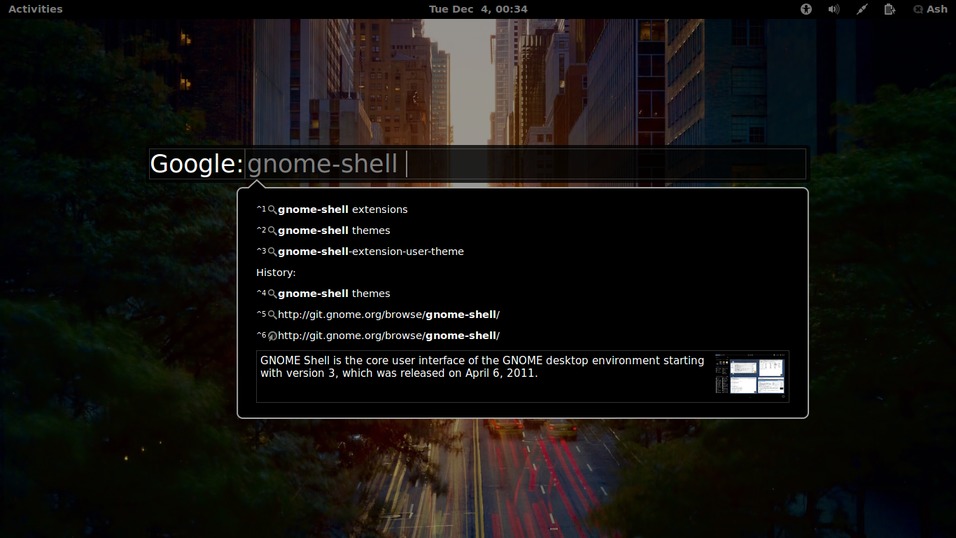
Search the web directly from Gnome Shell. <Ctrl>+space triggers the dialog. From there, type your search query, click the ENTER key and your default browser will open with your search result. List of features include: *Instant result/definition (DuckDuckGo helper) with pictures within the dialog *Search Suggestions *History with configurable limit *Choose your default search engine *Add multiple seach engines *Tab key to view & choose from search engine list *Ctrl+Shift+V to Paste & Search *Ctrl+Shift+G to Paste & Go (Open URL) *Ctrl+(1-9) to trigger search suggestion or history item in list *Add keyword for each search engine *Add keyword to go to URL directly
Note: Binary files aren't shown on the web site. To see all files, please download the extension zipfile.
| Version | Status |
|---|---|
| 18 | Active |
| 17 | Active |
| 16 | Active |
| 15 | Active |
| 14 | Active |
| 13 | Active |
| 12 | Active |
| 11 | Active |
| 10 | Active |
| 9 | Active |
| 8 | Active |
| 7 | Active |
| 6 | Active |
| 5 | Rejected |
| 4 | Active |
| 3 | Rejected |
| 2 | Rejected |
| 1 | Rejected |
 Web Search Dialog