

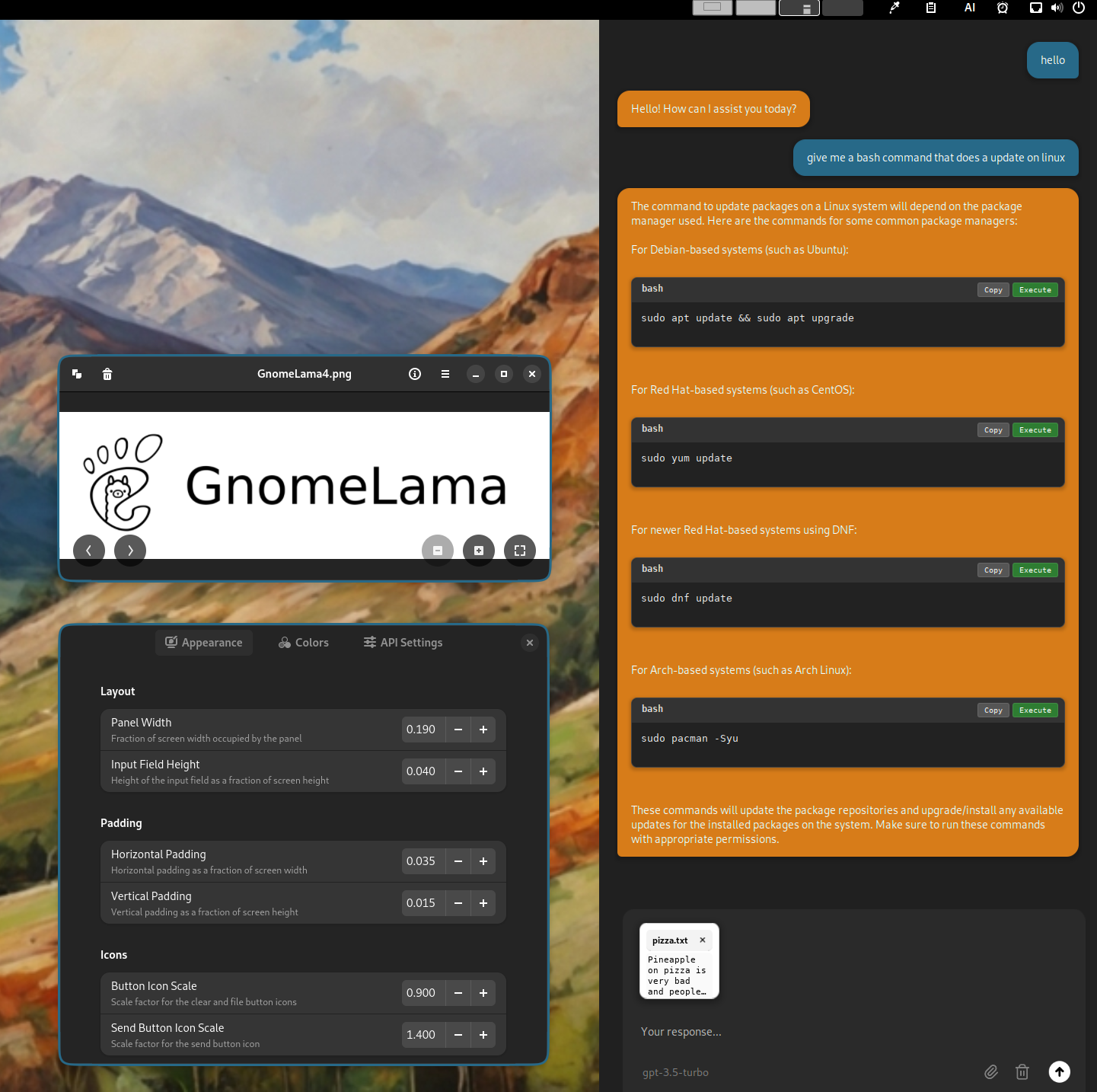
GnomeLama is a GNOME extension that integrates a powerful AI copilot directly into your desktop. It supports local AI chat functionalities through ollama (you can download ollama here: https://ollama.com/). This extension also works with an OpenAI API key to allow the use of ChatGPT. The extension allows you to chat, paste highlighted text with a middle click, and run bash commands easily. While the name GnomeLama suggests Llama models would be a good model to run with this, they have issues labelling the code properly and don't allow the running of commands. Instead, models like Qwen through Ollama, ChatGpt through the API, or Gemini through the API for even better models.
Note: Binary files aren't shown on the web site. To see all files, please download the extension zipfile.
| Version | Status |
|---|---|
| 8 | Rejected |
| 7 | Rejected |
| 6 | Rejected |
| 5 | Rejected |
| 4 | Rejected |
| 3 | Rejected |
| 2 | Rejected |
| 1 | Rejected |
1. You shouldn't use spawn command for updating gsettings (line 66-67 `ui/settingsManager.js`). 2. You cannot call functions in global scope which is the same as the entry point constructor: - line 140 `services/providers/ollamaProvider.js` - line 138 `services/providers/openaiProvider.js` - line 193 `services/providers/geminiProvider.js` - line 8-17 `services/utils/modelProcessing/formatters.js` - line 19 `ui/layoutManager.js` - [EGO Review Guidelines: Initialization](https://gjs.guide/extensions/review-guidelines/review-guidelines.html#only-use-initialization-for-static-resources) - [EGO Review Guidelines: Destroy](https://gjs.guide/extensions/review-guidelines/review-guidelines.html#destroy-all-objects) 3. You should cleanup in disable: - line 10 `services/providers/ollamaProvider.js` - line 14 `services/providers/openaiProvider.js` - line 16 `services/providers/geminiProvider.js` - line 11, 13 `ui/messageProcessor.js` [EGO Review Guidelines: Destroy](https://gjs.guide/extensions/review-guidelines/review-guidelines.html#destroy-all-objects) 4. You should follow the rules for Clipboard: [EGO Review Guidelines: Clipboard](https://gjs.guide/extensions/review-guidelines/review-guidelines.html#clipboard-access-must-be-declared) 5. Where do you call `destroy()` for line 183, 212 `uiComponents.js`? 6. You should call `abort()` on disable (line 30 and 212 `services/apiUtils.js`): [`Soup.Session.abort()`](https://gjs-docs.gnome.org/soup30~3.0/soup.session#method-abort) 7. What's the reason for creating a bash file for exporting history (line 580-608 `ui/settingsManager.js`)? You can use zenity but you can use gjs to write into a file. no bash scripts should be used for that. 8. Timeout should be removed on destroy and before creating a new one: - line 123, 191 `ui/pasteHandler.js` - line 324, 404 `ui/mainPanel.js` - line 78, 181 `ui/messageSender.js` - line 321 `ui/modelManager.js` - line 37, 310 `ui/panelWidgets.js` [EGO Review Guidelines: Timeout](https://gjs.guide/extensions/review-guidelines/review-guidelines.html#remove-main-loop-sources) 9. Don't use old `imports`: - line 324-325, 332, 404-405, 409, 468, 470 `ui/mainPanel.js` - line 573, 574, 683, 736, 851 `ui/messageProcessor.js` - line 132-133, 140, 146-147, 153, 971, 979, 1207, 1212 `ui/fileHandler.js` - line 566 `ui/settingsManager.js` 10. You should call `destroy()` explicitly on destroy so we know the timeout inside them is getting cleaned up (line 629, 673, 840 `ui/messageProcessor.js`). 11. Please don't use deprecated modules: - line 736, 851 `ui/messageProcessor.js` - line 566 `ui/settingsManager.js` [EGO Review Guidelines: deprecated modules](https://gjs.guide/extensions/review-guidelines/review-guidelines.html#do-not-use-deprecated-modules)
 GnomeLama