

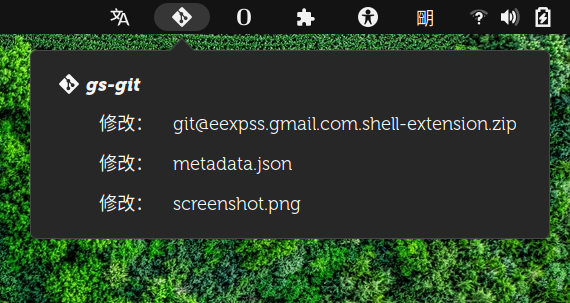
## monitor git directory for changes. > Working with a lot of git directories, I always forgot commit. ### Panel Icon - Mouse 2, force refresh (re-read config file, check git dirs, refresh menu). - Mouse 3, open configfile. config file is `~/.config/git-monitor.json`. ### Menu Item - Directory and Files: Mouse 1, opened with `git difftool`, eg `meld`. Mouse 3, system open.
Note: Binary files aren't shown on the web site. To see all files, please download the extension zipfile.
| Version | Status |
|---|---|
| 11 | Rejected |
| 10 | Active |
| 9 | Active |
| 8 | Inactive |
| 7 | Inactive |
| 6 | Active |
| 5 | Inactive |
| 4 | Rejected |
| 3 | Rejected |
| 2 | Rejected |
| 1 | Rejected |
`git-monitor.json` is a bad upload?
I can't catch the "bad upload" means. The last time when I packed, I forgot about this json file. I didn't know until someone post an issue on the github.
 Git Monitor