

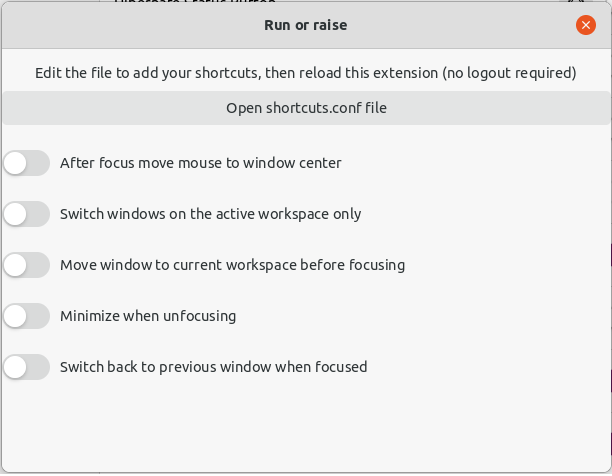
Launch or focus the window or define custom shortcuts in a text file
Note: Binary files aren't shown on the web site. To see all files, please download the extension zipfile.
| Version | Status |
|---|---|
| 49 (47) | Active |
| 48 (46) | Active |
| 47 (45) | Rejected |
| 46 (44) | Active |
| 45 (43) | Active |
| 44 (42) | Active |
| 41 | Active |
| 40 | Active |
| 39 | Inactive |
| 38 | Active |
| 37 | Active |
| 36 | Rejected |
| 35 | Rejected |
| 34 | Active |
| 33 | Inactive |
| 32 | Active |
| 31 | Active |
| 30 | Active |
| 29 | Active |
| 28 | Active |
| 27 | Active |
| 26 | Rejected |
| 25 | Active |
| 24 | Active |
| 23 | Active |
| 22 | Rejected |
| 21 | Rejected |
| 20 | Rejected |
| 19 | Rejected |
| 18 | Rejected |
| 17 | Active |
| 16 | Active |
| 15 | Active |
| 14 | Active |
| 13 | Active |
| 12 | Active |
| 11 | Inactive |
| 10 | Active |
| 9 | Active |
| 8 | Rejected |
| 7 | Active |
| 6 | Active |
| 5 | Active |
| 4 | Active |
| 3 | Active |
| 2 | Active |
| 1 | Rejected |
Thanks for having helped me shorten the code!
erroneous, please reject
#3 from review version 18 hasn't been addressed here: Log should be only available in debug mode: https://gjs.guide/extensions/review-guidelines/review-guidelines.html#no-excessive-logging If you don't know how to do it: - For GNOME Shell 41 and higher you can simply use `console.debug('MESSAGE');` instead of `log()`. - For 40 you can simply make a custom function. Something like this: inside `metadata.json` add this: ```json "debug": false, ``` and use custom `debug` function instead of normal `log`: ```js const Me = imports.misc.extensionUtils.getCurrentExtension(); function debug(message) { if (!Me.metadata.debug) { return; } log(message); } ``` Make sure you set the `debug` value to false when you send the package here.
 Run or raise