

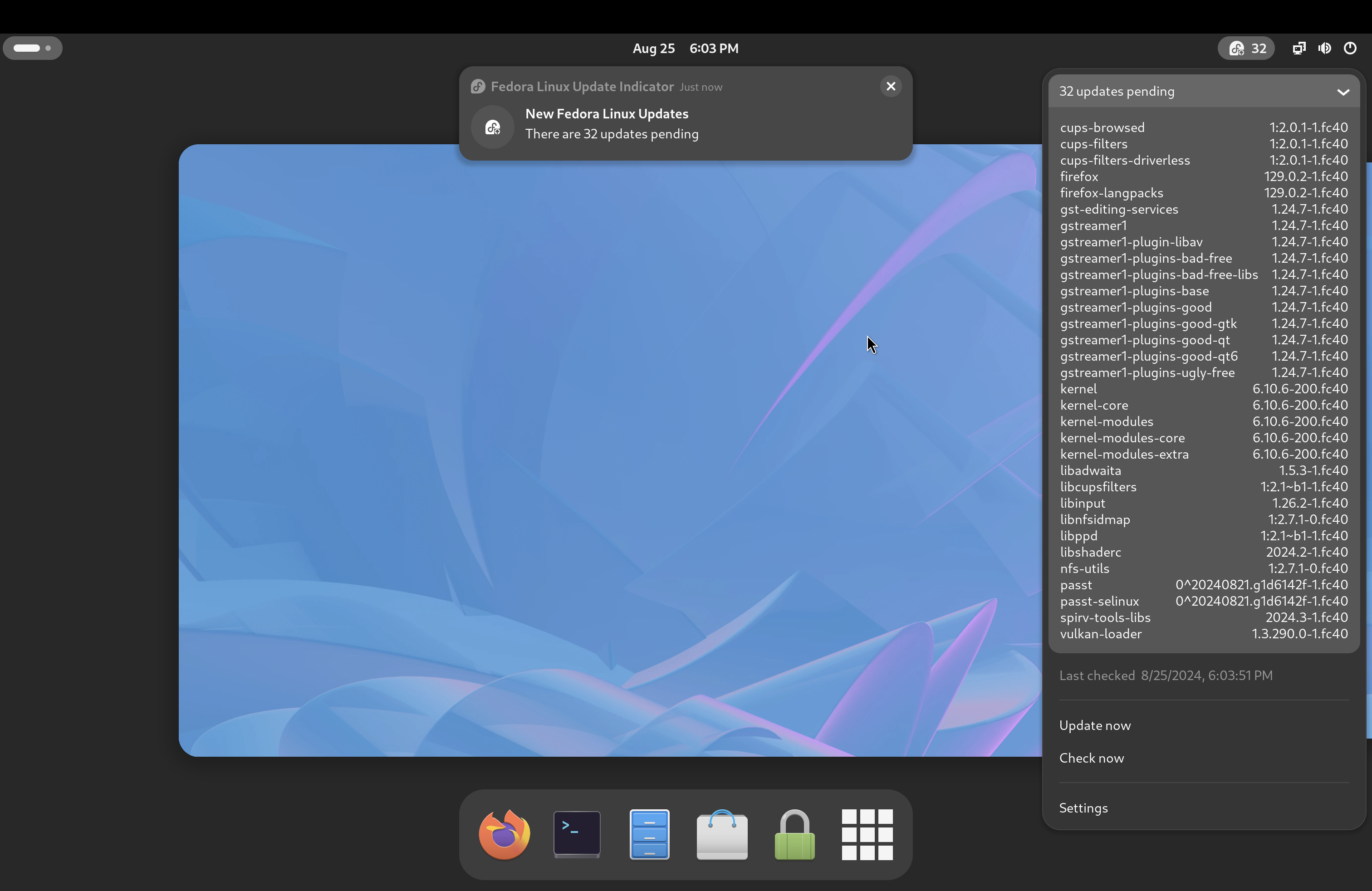
GNOME Shell update indicator for Fedora Linux. This is based on Arch Linux Updates Indicator by Raphaël Rochet. This extension is not affiliated, funded, or in any way associated with Fedora brand and Red Hat Software.
Note: Binary files aren't shown on the web site. To see all files, please download the extension zipfile.
| Version | Status |
|---|---|
| 46 | Active |
| 45 | Active |
| 44 | Inactive |
| 43 | Inactive |
| 42 | Inactive |
| 41 | Inactive |
| 40 | Inactive |
| 39 | Inactive |
| 38 | Rejected |
| 37 | Inactive |
| 36 | Inactive |
| 35 | Active |
| 34 | Inactive |
| 33 | Inactive |
| 32 | Active |
| 31 | Inactive |
| 30 | Inactive |
| 29 | Inactive |
| 28 | Inactive |
| 27 | Inactive |
| 26 | Active |
| 25 | Inactive |
| 24 | Inactive |
| 23 | Inactive |
| 22 | Inactive |
| 21 | Inactive |
| 20 | Inactive |
| 19 | Rejected |
| 18 | Rejected |
| 17 | Inactive |
| 16 | Inactive |
| 15 | Inactive |
| 14 | Rejected |
| 13 | Active |
| 12 | Inactive |
| 11 | Inactive |
| 10 | Active |
| 9 | Inactive |
| 8 | Active |
| 7 | Inactive |
| 6 | Inactive |
| 5 | Rejected |
| 4 | Inactive |
| 3 | Rejected |
| 2 | Inactive |
| 1 | Rejected |
## Feature Overview: Notification Threshold for Updates * **Indicator respects `notify-threshold`** The tray/panel indicator now only reflects “updates available” once the configured threshold is reached. * **Indicator visibility behavior** * If **“Always visible” = false** → The indicator is **hidden** until the threshold is reached. * If **“Always visible” = true** → The indicator remains visible, but: * It no longer shows *“Up to date :)”* when updates exist below the threshold * Instead, it shows a neutral and accurate message: **“%d updates available (below notification threshold)”** * **Panel update counter** * The numeric update count in the panel is only shown once the threshold is reached. * **Notification behavior** * Notifications are only triggered when the number of updates meets or exceeds the threshold (existing logic, now aligned with UI behavior). * **Menu auto-expand** * The auto-expand feature for the updates list now only triggers when the threshold is reached.
 Fedora Linux Update Indicator