

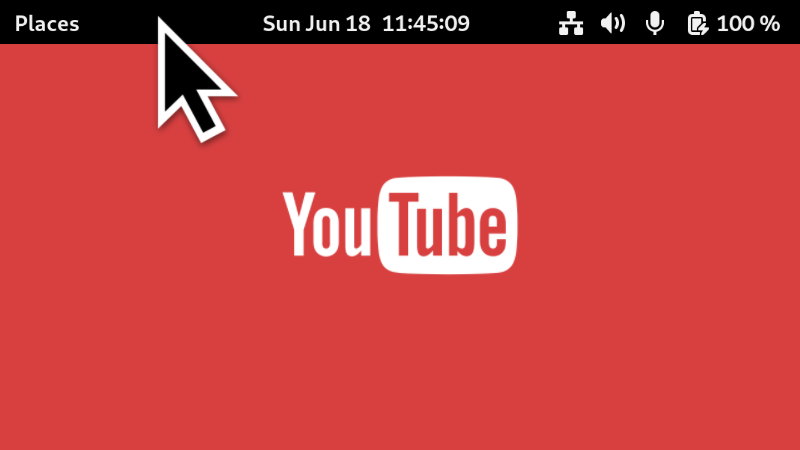
Show the top bar (panel) on demand while having full screen content on (like a YouTube video). Just hover the mouse cursor to the top of the screen, and the panel will show up. This way, you can quickly check the time, or swich some toggles. This is similar to what macOS offers for full screen apps. This extension is incompatible with Blur My Shell extension.
Note: Binary files aren't shown on the web site. To see all files, please download the extension zipfile.
EGO-P-007 warning
JavaScript files should be reachable from extension.js or prefs.js
Some JavaScript files are not reachable from `extension.js` or `prefs.js` imports.
Don't include unnecessary files
dummy-window.js
EGO-L-002 warning
objects created by extension should be destroyed in disable()
Objects assigned in `enable()` are missing matching `.destroy()` calls in `disable()` or its helper methods.
extension.js:456
        this.hotEdge = new HotEdge(primaryMonitor, edgePosition, getPanelHeight(), () => {
            if (!isFullscreen(primaryMonitor)) {
                return;
            }
            this.panelManager?.showPanel();
        }, () => {
            if (!isFullscreen(primaryMonitor) || isInOvervi
| Version | Status |
|---|---|
| 23 | Active |
| 22 | Active |
| 21 | Active |
| 20 | Rejected |
| 19 | Rejected |
| 18 | Active |
| 17 | Active |
| 16 | Active |
| 15 | Active |
| 14 | Active |
| 13 | Rejected |
| 12 | Rejected |
| 11 | Rejected |
| 10 | Active |
| 9 | Active |
| 8 | Active |
| 7 | Active |
| 6 | Rejected |
| 5 | Active |
| 4 | Rejected |
| 3 | Active |
| 2 | Active |
| 1 | Active |
 Peek Top Bar on Fullscreen