

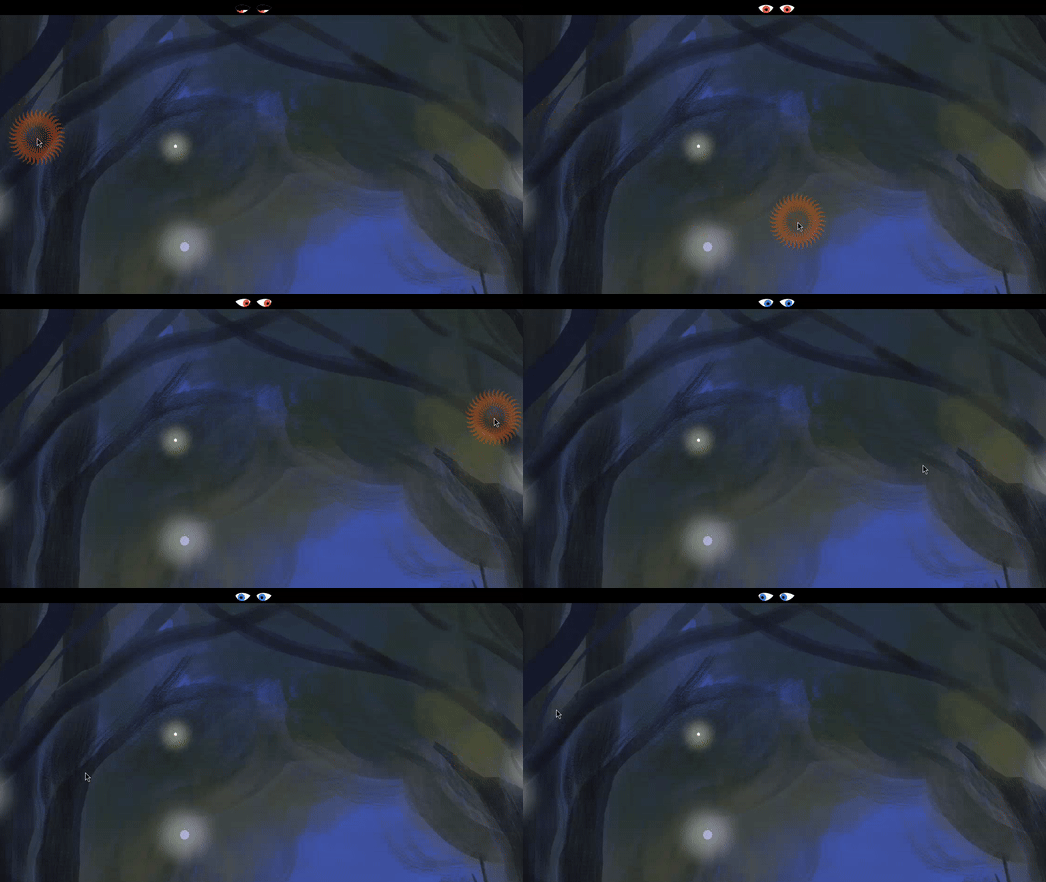
Add animated eyes to your GNOME panel that follow your mouse cursor. Bring your desktop to life! Comes with a cursor tracker to help you keep track of your pointer during presentations, screencasts, or everyday use. Features: - Panel eyes that follow your mouse cursor - Eye shape, color, and blinking customization - Customizable cursor tracker with keyboard shortcut Forked from Eye and Mouse Extended by Alexey Lovchikov.
Note: Binary files aren't shown on the web site. To see all files, please download the extension zipfile.
| Version | Status |
|---|---|
| 3.1.0 (28) | Active |
| 3.0.3 (27) | Active |
| 3.0.2 (26) | Active |
| 3.0.1 (25) | Rejected |
| 3.0.0 (24) | Rejected |
| 2.4.1 (23) | Active |
| 2.4.1 (22) | Rejected |
| 2.4.1 (21) | Rejected |
| 2.4.0 (20) | Rejected |
| 2.3.1 (19) | Inactive |
| 2.3.0 (18) | Rejected |
| 2.2.1 (17) | Inactive |
| 2.2.1 (16) | Rejected |
| 2.2.0 (15) | Inactive |
| 2.1.1 (14) | Inactive |
| 2.1.0 (13) | Inactive |
| 2.0.0 (12) | Inactive |
| 2..0.0 (11) | Rejected |
| 1.4.0 (10) | Inactive |
| 1.3.2 (9) | Inactive |
| 1.3.1 (8) | Inactive |
| 1.3.0 (7) | Rejected |
| 1.2.1 (6) | Inactive |
| 1.2.0 (5) | Inactive |
| 1.1.1 (4) | Inactive |
| 1.1.0 (3) | Rejected |
| 1.0.1 (2) | Inactive |
| 1.0.0 (1) | Inactive |
You may want to consider getting the accent color from the theme context: ``` const context = St.ThemeContext.get_for_stage(global.stage); context.connectObject('changed' => this.area.queue_repaing(), this); // then in repaint const context = St.ThemeContext.get_for_stage(global.stage); const [accentColor] = context.get_accent_color(); ``` Just a suggestion of course.
Thank you for the suggestion. I'll see how it goes.
 Eye on Cursor